
To get started, access your user profile:
1. At the top right of any page, click on your name
2. Then click on "Profile"
The student profile includes two tabs: Basics and Settings.
Basics Tab
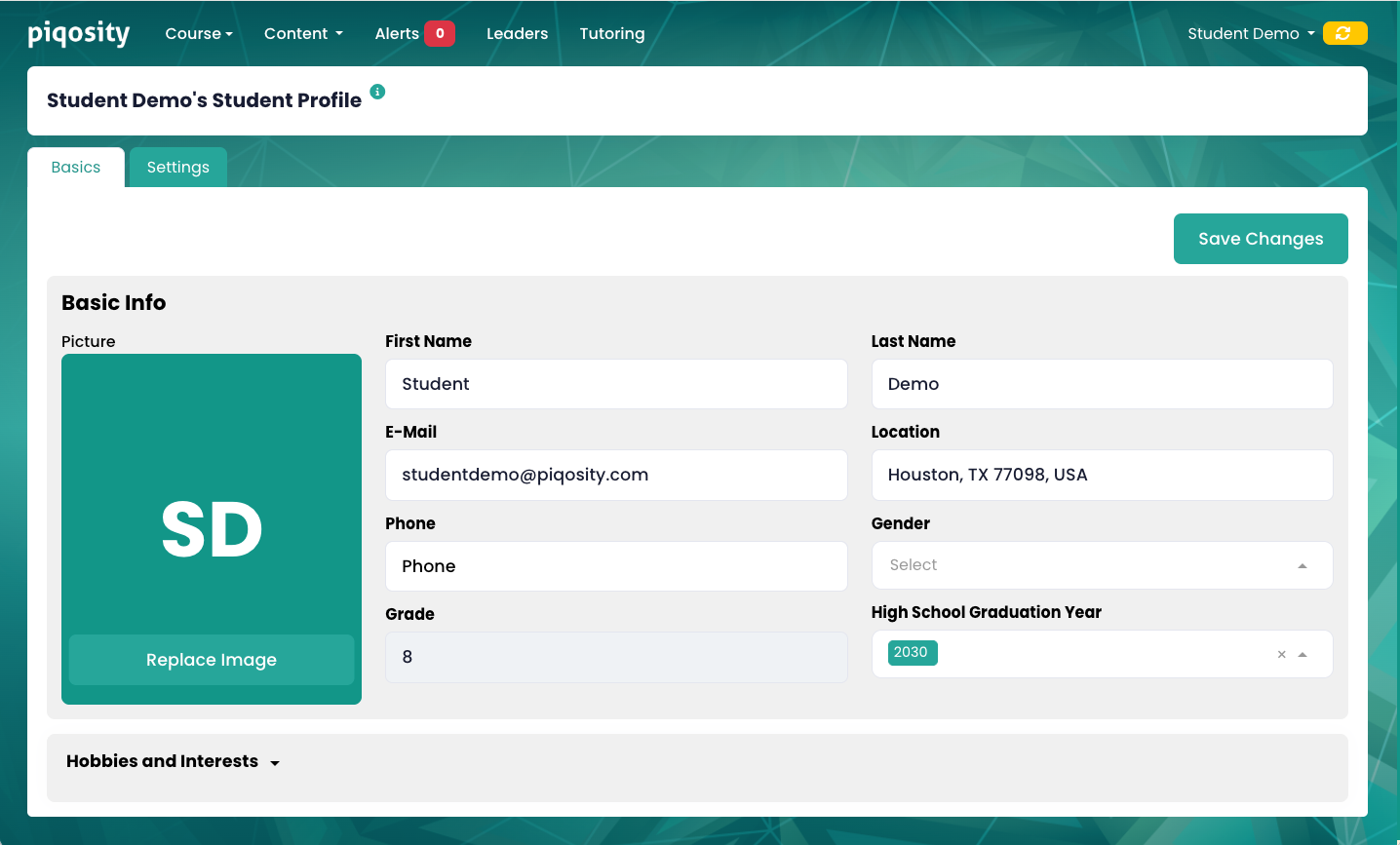
This tab allows you to update your basic information, including:
1. Picture - displayed publicly on the Leaderboard (initials are shown by default)
2. First and Last Name - displayed publicly on the Leaderboard
3. E-Mail - used as your login name
4. Location - displayed publicly on the Leaderboard
5. Phone - optional and not displayed publicly
6. Gender - optional and not displayed publicly
7. Grade - displayed publicly on the Leaderboard; determined by High School Graduation Year and updated automatically every Fall
8. High School Graduation Year
The expandable container Hobbies and Interests allows you to optionally add information about yourself, including:
1. Hobbies and Interests
2. Personality Traits
3. Anything else you want us to know
Settings Tab
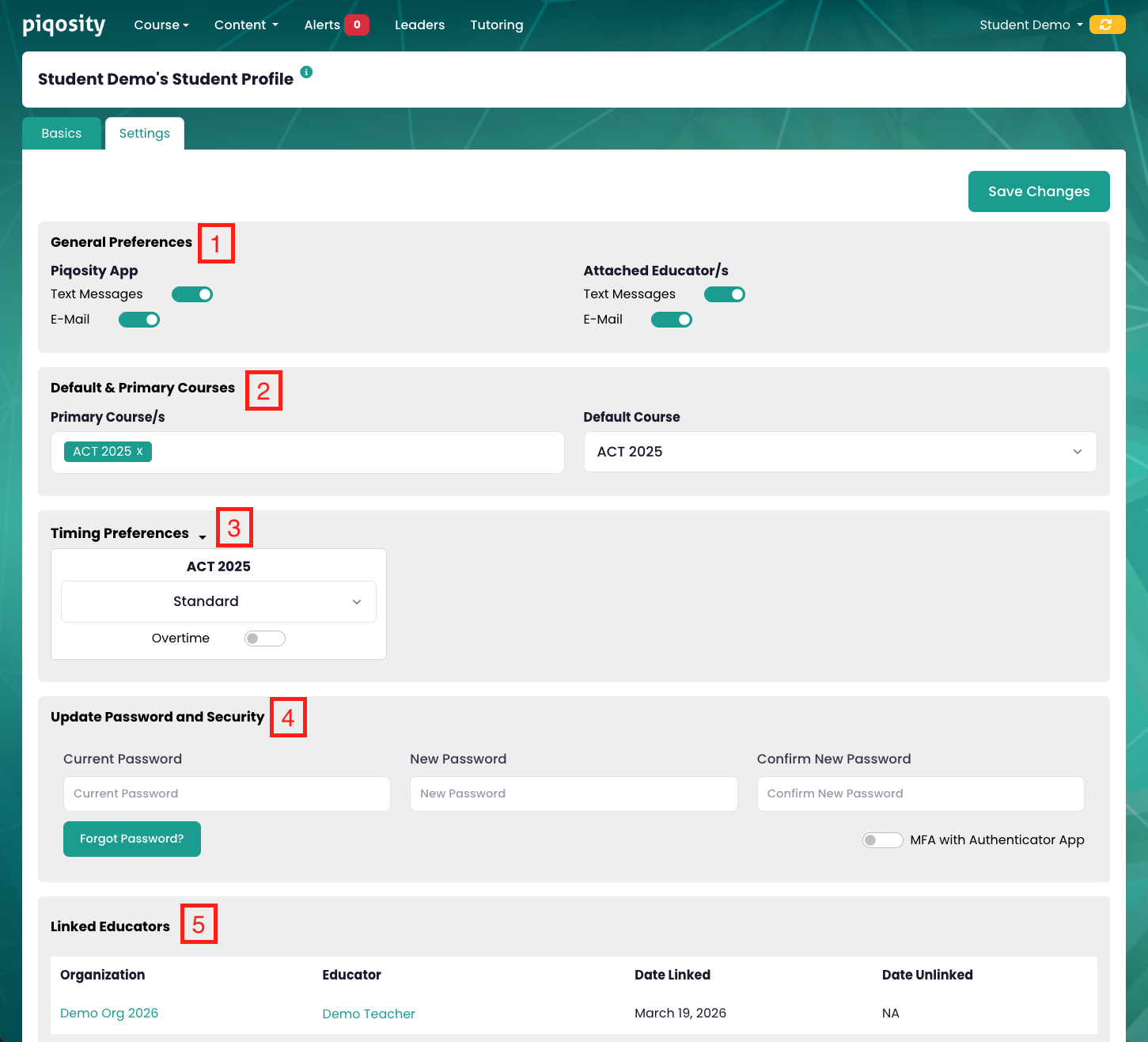
This tab includes various containers that allow you to update your Piqosity settings:
- General Preferences allows you to enable or disable notifications from Piqosity or from your teacher/organization.
- Default & Primary Courses allows you to set your:
- Primary Course/s, which appear in the Course dropdown
- Default Course, which loads when you log into Piqosity
- Note that any course not set as a Primary Course can be found in the Course dropdown under Included Courses
- Timing Preferences allows you to set two timing settings for each course:
- Timing - Standard, 1.5x, or 2x
- Overtime - If toggled on, quizzes won't end when the timer reaches 0:00
- Update Password and Security allows you to:
- Reset your password (requires current password)
- Request a Forgot Password link (if you have forgotten your password and logged in via One Time Code)
- Turn Multi-Factor Authentication (MFA) on or off
- Linked Educators displays the organization you are a part of, if any, and the educator(s) you are linked to, if any.