
To get started, access your user profile:
1. At the top right of any page, click on your name
2. Then click on "Profile"
The educator profile includes two tabs: Basics and Settings.
Basics Tab
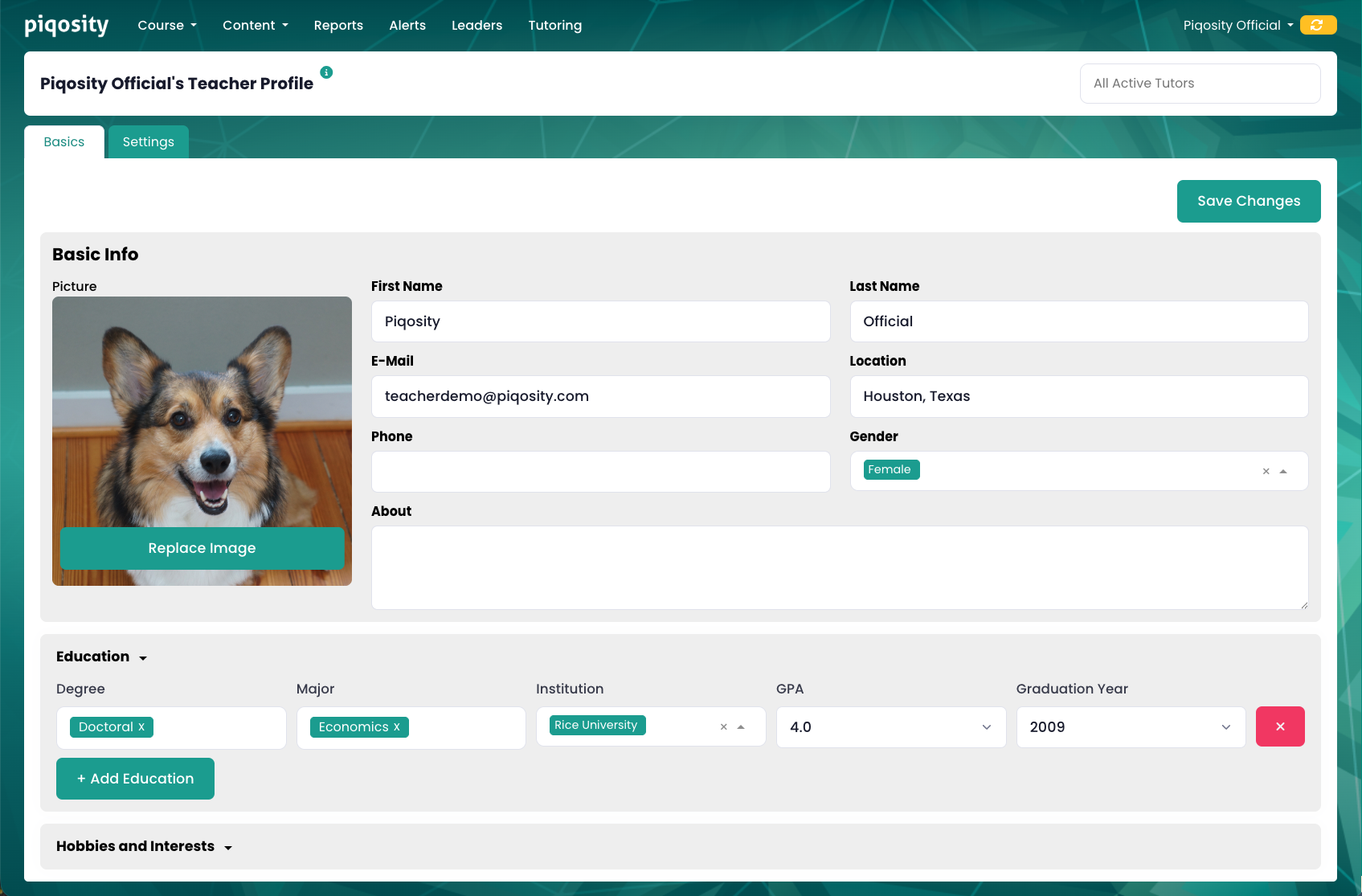
This tab allows you to update your basic information, including:
1. Picture - displayed publicly on the Leaderboard (initials are shown by default)
2. First and Last Name - displayed publicly on the Leaderboard
3. E-Mail - used as your login name
4. Location - displayed publicly on the Leaderboard
5. Phone - optional and not displayed publicly
6. Gender - optional and not displayed publicly
7. About - optional information about yourself, displayed publicly on your profile
Below the Basic Info container, you will find:
1. Education - optionally add details about your education background
2. Hobbies and Interests - optionally add information about yourself, including:
1. Hobbies and Interests
2. Personality Traits
3. Anything else you want us to know
Settings Tab
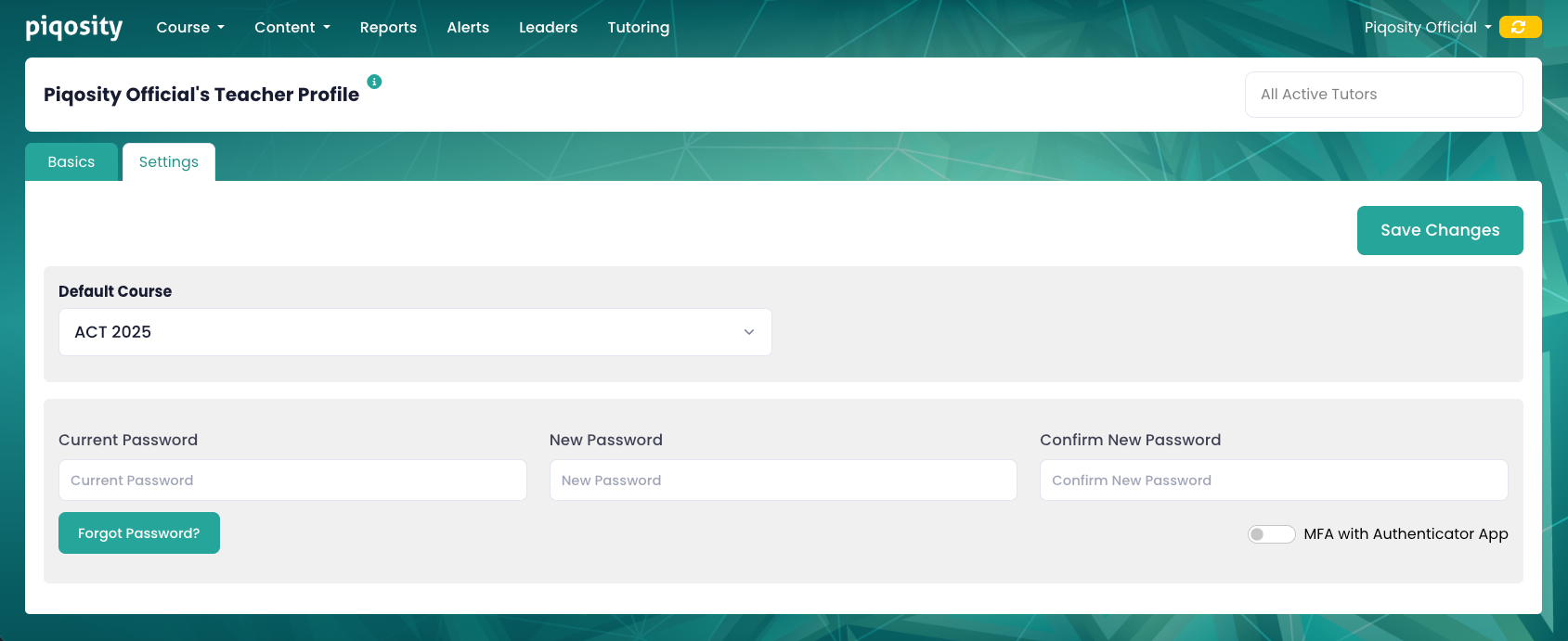
This tab allows you to update a couple of other important settings:
- Adjust your Default Course (appears at the top of the Courses table on the Dashboard, with a rocket icon)
- Reset your password (requires current password)
- Request a Forgot Password link (if you have forgotten your password and logged in via One Time Code)
- Turn Multi-Factor Authentication (MFA) on or off